For planners and venue teams
Event layout planner: draw the room, seat every guest, then see it in 3D
An event layout planner draws a venue to scale so you can place tables, chairs, the stage, the bar and the dance floor before the day. SeatPlan.io seats every guest on the same plan and opens the room in 3D, so you can check sightlines before the client walks in.
- Starts in your browser, no sign-up
- To scale in metres or feet
- 3D on a laptop or a phone
3D Beta
Plan the layout in 2D, check it in 3D
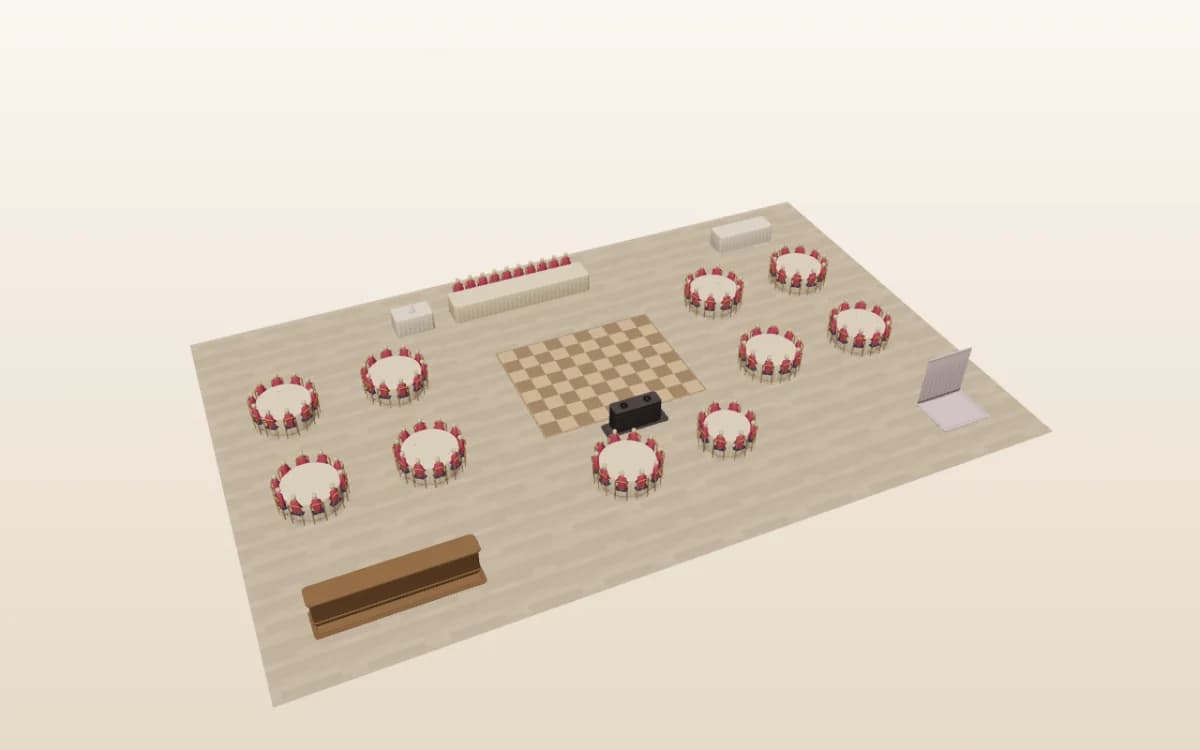
A flat plan is where spacing is easy to judge. A 3D event layout shows what guests will see, and catches what a flat plan hides, like a pillar in front of the top table.
- Press 3D and the chart stands up as a room you can orbit.
- The dance floor, stage, bar and DJ booth stand where you placed them.
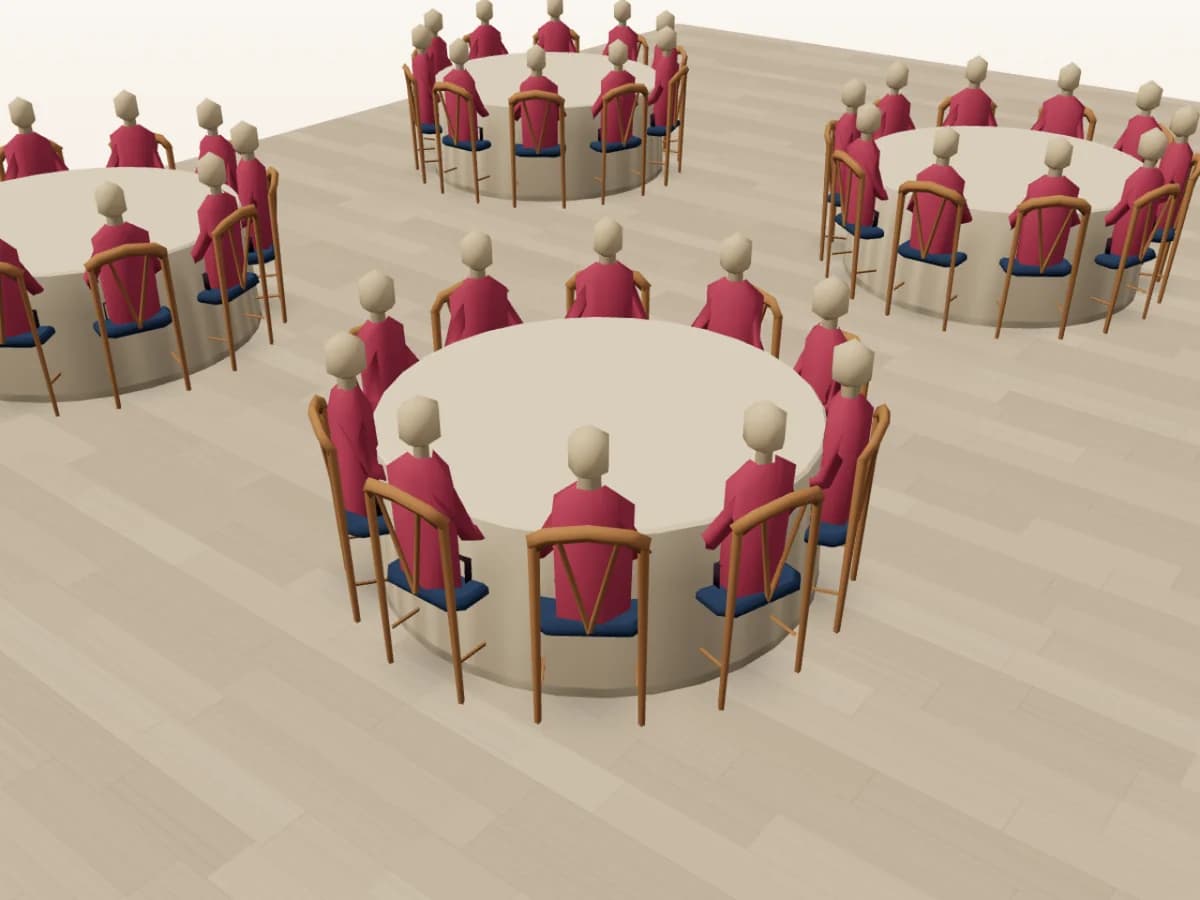
- Guests appear in their seats, in their guest colours. Hover or tap a chair to see who sits there.
- Jump to the Overview or Plan view, on a laptop or a phone.
- Keep planning in 3D. Move, turn and add tables, and drag guests onto chairs.
- 3D is in Beta and comes with Pro, Collaborate and Event & Venue Manager.
Import
Start from the venue's plan, not a blank page
Most venues already have an event space floor plan. Bring it in and place tables on the real shape of the room.
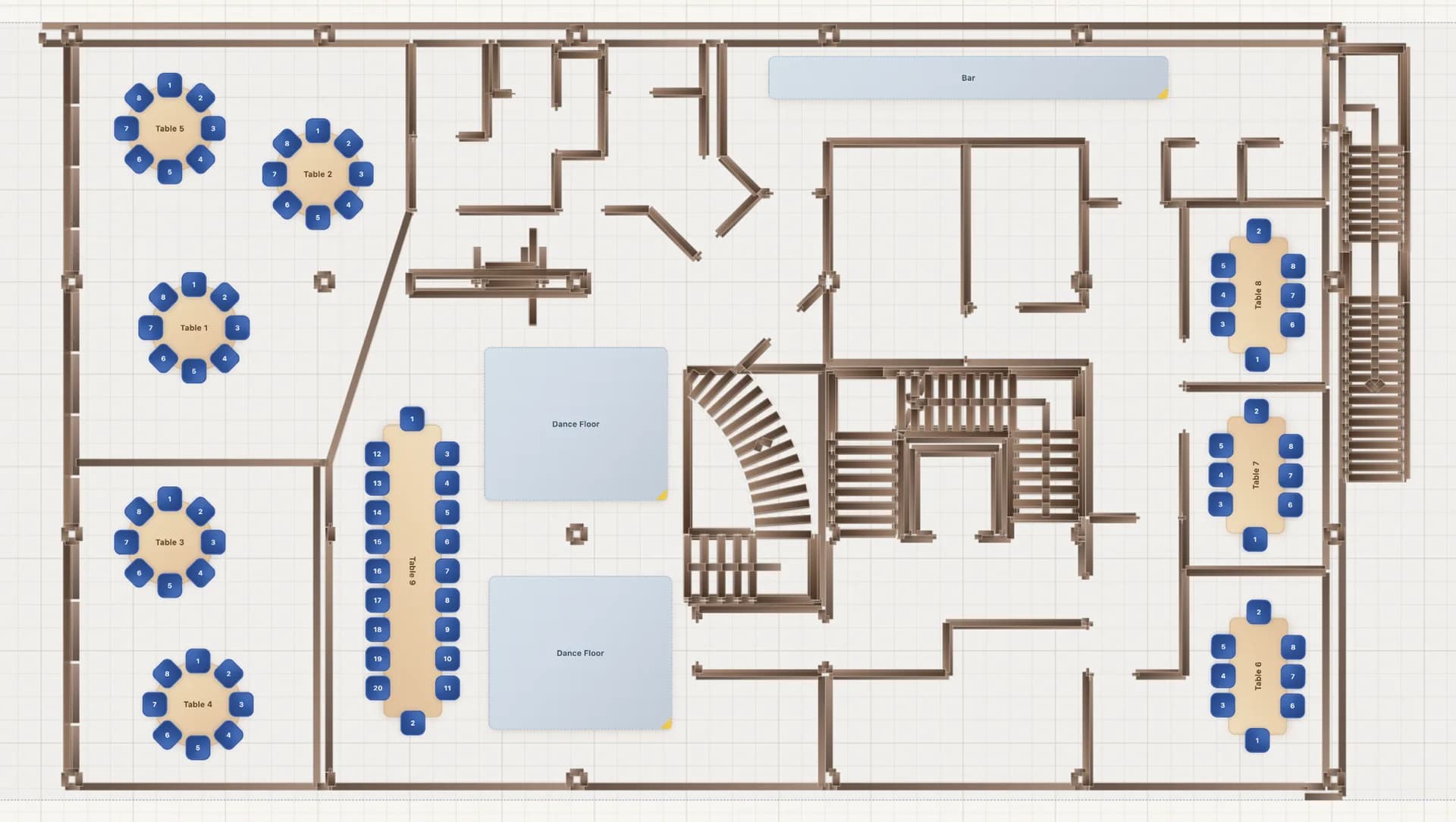
- AI import reads a photo, screenshot or PDF of the plan and places the tables, seats and areas it finds. It is in Beta, so always review the result.
- A CAD (DXF) file imports at exact scale on Event & Venue Manager.
- No drawing at all? Set the room size in metres or feet and draw it yourself.
- In 3D, an imported DXF stands up as a building with walls, window and door openings and columns. Walk it at eye level, the way a guest would.
Bring your venue's plan
Open the designer, choose Import and add the file. See how AI floor plan import works.
Setups
Event layouts for every setup
Every event room layout starts with a setup style. Pick the one that fits the event, then shape the event space around it.
Banquet and ballroom layouts
Rounds of 8 or 10 around the dance floor, with a top table facing the room. Draw the ballroom floor plan once and reuse the banquet table layout for every dinner.
Start from a banquet layout →Theatre and classroom rows
Chair rows face a stage or screen for talks and launches. Classroom rows add narrow tables for training days and working lunches.
Plan theatre and classroom rows →Cabaret and cocktail
Cabaret leaves the stage side of each round open, so every guest faces the show. A cocktail setup swaps most seats for high tables and room to mingle.
Plan a cabaret layout →Ceremony rows
Rows either side of an aisle, facing the front, with the first rows kept for family and guests of honour.
Start from a template →Galas and fundraisers
Sponsor tables near the stage, a clear view of the auction screen and a top table for the hosts.
Start from a gala layout →How many guests fit?
In a 24 m × 16 m room (about 80 ft × 52 ft), plan for about:
- Banquet rounds256 guests
- Theatre rows384 guests
- Classroom225 guests
- Cabaret174 guests
Take out the stage, bar and dance floor first. The event seating styles guide gives the space per guest for each setup.
Event & Venue Manager
Built for planners and venue teams
Event & Venue Manager is the plan for people who run events every week. One good layout becomes the start of every booking.
Room templates
Save each event venue layout as an event floor plan template, then clone it for every booking. The original never changes by accident.
Client seating links
Send the client a share link to seat their own guests. Lock the top table and anything else that must stay put.
Your team, live
Team seats give colleagues their own logins, and everyone edits the same plan in real time.
A link for the door
A check-in-only link lets door staff check guests in without touching the layout.
An event workspace
Every event gets a checklist and a run sheet next to its floor plan.
Guest lists in
Import guests from CSV or Excel, or straight from a booking with the Event Temple integration.
Billed monthly or annually. Run a venue? You can also publish your venue floor plan on seatplan.io.
See Event & Venue ManagerMoving off Prismm?
New Prismm events have been created in Cvent Event Diagramming since 26 August 2026, and Prismm access ends in June 2027 (Cvent's migration page, checked 31 October 2026). Cvent says templates, favourites and groups must be recreated, so every room needs rebuilding wherever you go. Rebuild each room here once, from its DXF, PDF or photo, and open it in 3D.
SeatPlan.io's 3D is better than Prismm's. It is built from your own layout, shows every seated guest by name, and lets you edit and walk the room. Our Prismm retirement guide has every date.
Weighing Cvent Event Diagramming instead? Read SeatPlan.io vs Social Tables.
Compare
How SeatPlan.io's event layout planner compares
Weighing event layout software? Each cell below comes from the vendor's own page, read on 31 October 2026. “Not stated” means the page does not say.
| Tool | Start from the venue's plan | 3D | Guest seating | Sharing and export | No-cost option and terms |
|---|---|---|---|---|---|
| SeatPlan.io | AI import of a photo, screenshot or PDF (Beta); DXF at exact scale on Event & Venue Manager | Built from your layout with seated guests; edit in 3D; walk DXF rooms at eye level (Beta) | Guest list on the plan, client seating links and a check-in link for door staff | Client share links with locked tables; PDF exports | The designer starts at no cost; 3D on Pro, Collaborate and Event & Venue Manager; Event & Venue Manager billed monthly or annually |
| Cvent Event Diagramming (formerly Social Tables)Source: socialtables.com floor plan maker and socialtables.com pricing, read 31 October 2026 | Upload DWG, PDF, JPEG, PNG and other to-scale images | Photo-Realistic 3D rendering and automated walkthroughs; Photo-Realistic 3D is listed among custom add-ons | Seat attendees on the diagram; check-in listed on Premium and Enterprise | Unlimited collaborators; a public link to a diagram | Free plan of 3 events and 1 user; 12-month commitment on all paid plans |
| SmartDrawSource: smartdraw.com event planning tool, read 31 October 2026 | Import a venue PDF or image as the starting point | Not stated | Seating chart layouts; assigning guests not stated | Share by link; export PDF, PNG or SVG | Free to try |
| CanvaSource: canva.com floor plans, read 31 October 2026 | Floor plan templates; importing a venue plan not stated | Not stated | Not stated | Invite others to design together and share the plan | Says you can create floor plans for free |
| Prismm (formerly AllSeated)Source: Cvent's migration page, read 31 October 2026 | Status only: new events have been created in Cvent Event Diagramming since 26 August 2026, and Prismm access ends in June 2027. Its floor planning page for venues returned a 404 error on 31 October 2026. | ||||
Need the wider field? We compare 8 event floor plan tools on scale, imports, 3D, guests and contracts.
How to
How to plan an event layout in 5 steps
Get the to-scale plan
Ask the venue for its CAD (DXF) or PDF floor plan. If there is none, measure the room's length and width.
Mark the fixed features
Mark doors, fire exits, pillars, the stage, the bar and power points before you add any furniture.
Choose a setup style
Pick banquet rounds, theatre rows, classroom, cabaret or cocktail. Each holds a different number of guests in the same room.
Place tables with service aisles
Leave clear aisles between tables and rows for servers and guests. In the US, most fire codes follow NFPA 101, which sets minimum aisle widths and uses 15 sq ft per person (net) for seating at tables. The venue's certified capacity and the local fire marshal have the final word. Source: Illinois State Fire Marshal guide to NFPA 101 occupant loads.
Export and share
Export a PDF of the layout for the venue and the setup crew, and send the client a link to the live plan.
FAQ
Event layout planner FAQ
What is an event layout planner?
An event layout planner is a tool for drawing a venue to scale and placing tables, chairs, a stage, a bar and a dance floor before the event. Planners use it to test setups, seat guests and share the plan with clients and crew. SeatPlan.io also opens the layout in 3D so you can check sightlines.
How do I make an event layout?
Start with a to-scale plan of the room from the venue, or measure it yourself. Mark doors, exits, pillars, the stage and the bar first. Pick a setup style, such as banquet rounds or theatre rows, place tables with clear service aisles, then seat guests and export a PDF for the venue and setup crew.
Is there a free tool to create event floor plans?
Yes. Several tools let you draw an event floor plan at no cost, including SeatPlan.io's designer, Canva, Social Tables' free plan and SmartDraw's trial. Check what the no-cost option includes: to-scale drawing, guest seating, PDF export, 3D and how many events or users you get before you need a paid plan.
Can I see an event layout in 3D?
Yes. In SeatPlan.io, press the 3D button in the designer and the layout opens as a room you can orbit on a laptop or phone. Tables, the stage, bar and dance floor stand where you placed them, guests appear in their seats, and tapping a chair shows who sits there. The 3D view is in beta. You can also move tables and seat guests directly in 3D, and walk CAD-imported rooms at eye level.
What should Prismm users switch to?
Cvent is moving Prismm users to Cvent Event Diagramming, and Prismm access ends in June 2027. Whichever tool you choose, you will rebuild rooms, because templates do not carry over. In SeatPlan.io you can import each room from a PDF or photo, save it as a template and open the layout in 3D.
Draw your next event layout
Size the room, place the tables, seat the guests and press 3D. The plan the client sees is the plan the crew sets from.