Tools & Resources
Event floor plan software: 8 diagramming tools compared for venues and planners
Compare 8 event floor plan and diagramming tools for venues and planners: 3D, to-scale layouts, CAD import, collaboration, contracts and Prismm's sunset.
This guide is for the people who turn an empty room into an event: venue sales and operations teams, independent planners and caterers. It compares eight event floor plan and diagramming tools on the things that decide a setup: scale, imports, 3D, guests, collaborators and contracts.
The short answer. The best event floor plan software depends on what you plan. For weddings, banquets, galas and venue events, our top pick is SeatPlan.io: one to-scale floor plan that also seats your guests, turns into 3D with every guest in their chair, lets you move tables and seat guests right in 3D, and turns a venue's CAD drawing into a 3D room you can walk through at eye level. Cvent Event Diagramming suits teams already on Cvent, and OnePlan suits outdoor sites.
If you used Prismm, formerly AllSeated, the clock is running: since 26 August 2026 new events can only be created in Cvent Event Diagramming, and Prismm access ends in June 2027 (Cvent's Prismm migration page, checked on 30 October 2026). Our Prismm retirement guide has the full timeline. SeatPlan.io publishes this guide, so we have marked our own product as our pick and sourced every fact about the other tools to its vendor's own pages.
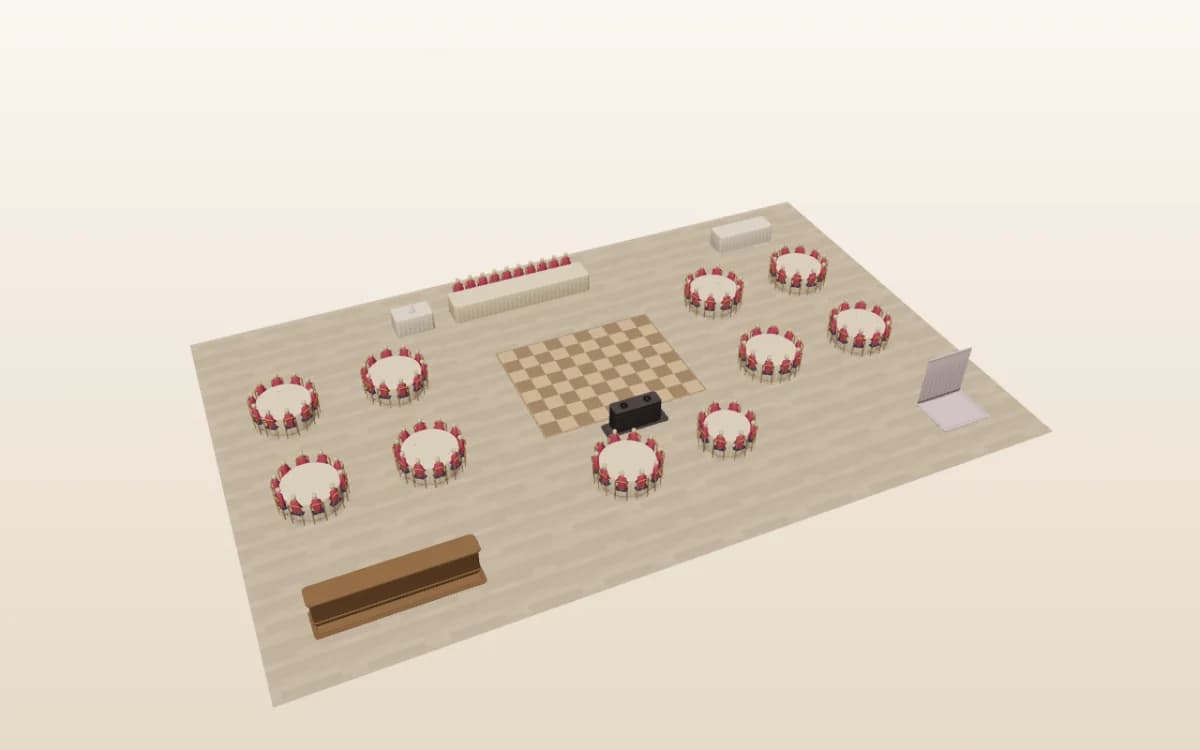
Event floor plan software at a glance
Eight tools, the same eight questions. Facts about other vendors come from their own pages, checked on 30 October 2026 and linked in each tool's section below. “Not stated” means the vendor's public pages we checked do not describe it, so ask the vendor.
| Tool | Best for | To-scale | CAD/PDF import | 3D | Guest seating & check-in | Collaborators | Free option | Contract term |
|---|---|---|---|---|---|---|---|---|
| SeatPlan.io (Event & Venue Manager) | Our top pick: weddings, banquets, galas and venues that seat guests on the plan | Yes, in metres or feet; DXF at exact scale | CAD (DXF) to exact scale on Event & Venue Manager; AI import of PDF, photo or screenshot | Built from your 2D chart, with seated guests, and editable in 3D (Beta); DXF rooms become walk-through 3D buildings | Guest list, place cards, door check-in link, QR seat finder | Live co-editing; client links with locked tables | Designer is free; 3D comes with Pro, Collaborate and Event & Venue Manager | Event & Venue Manager monthly plan, cancel any time |
| Cvent Event Diagramming (formerly Social Tables) | Hotels and venues already on Cvent | Yes; library of 6,700+ venue floor plans | DWG, PDF, JPEG and PNG to-scale files | Photo-Realistic 3D, listed among custom add-ons | Seats attendees; check-in on Premium and Enterprise | Unlimited collaborators; one user per paid plan below Enterprise | Free plan: 3 events, 1 user | 12-month commitment on all paid plans |
| EventDraw | Venues, stadiums and convention centres | Yes, CAD-accurate layouts | Not stated; offers Visio migration | 2D or 3D layouts | Guest lists included; check-in not stated | Unlimited users; real-time with team and clients | Not stated; priced by quote | “No lock in contracts” |
| EventDiagram | Hotels, corporate planners and AV crews | Yes, in feet and inches | Start from a venue PDF; venue floor plan library | Walk the room in 3D; creating 3D needs its Pro plan | Seating, meals and check-in | Comment and approve with no account | Free plan with watermarked exports | Monthly billing, cancel monthly |
| Planning Pod | Venues wanting bookings, BEOs and floor plans in one system | Yes | Upload CAD room outlines and trace the walls | Not stated | Seating charts and a check-in app | Real-time with staff, vendors and clients | Not stated; pricing in a demo | Not published |
| SmartDraw | Occasional, simple layouts alongside other diagrams | Yes, type exact dimensions | PDF or image, calibrated to scale; Google Maps satellite view | Not stated | Seating chart templates; guest lists not stated | Shared team libraries; Team plan has a 3-user minimum | Free trial | Billed annually |
| OnePlan | Festivals, outdoor sites and multi-site events | Yes, on maps including Google Satellite | CAD drawings, layouts and image overlays | Not stated | Not stated; built for site operations | Real-time teams with permissions; priced per user | Free plan: 1 event, 25 objects | Monthly or annual billing |
| Prismm (formerly AllSeated) | Status only: new events have been created in Cvent Event Diagramming since 26 August 2026, and Prismm access ends in June 2027. | |||||||
Try the designer on your own room. It opens in your browser with no account, and you can draw the room to its real size in a few minutes.
3D compared: SeatPlan.io, Cvent Event Diagramming and Prismm
3D is where floor plans have moved fastest, and it is the question most Prismm users ask first. Here is how the three tools describe their 3D, from SeatPlan.io's 3D seating chart page, Cvent's pricing page and product page, and prismm.com with Cvent's migration page, all checked on 30 October 2026.
| Feature | SeatPlan.io | Cvent Event Diagramming | Prismm |
|---|---|---|---|
| How you get 3D | Included in Pro, Collaborate and Event & Venue Manager | Photo-Realistic 3D is listed among custom add-ons on its pricing page | Photorealistic 3D listed on prismm.com |
| Built from your own chart | Yes. Press 3D on the canvas; the same tables, seats and names appear where you drew them | 3D renderings of your space and event setups | 3D event diagramming listed on prismm.com |
| Guests in 3D | Seated guest figures in their guest colours; hover or tap a chair to see the name | Not stated | Not stated |
| Edit in 3D | Yes (Beta): move, turn, add and delete tables, chair rows and areas, add or remove seats, and drag guests onto chairs; undo works as in 2D | Not stated | Not stated |
| CAD drawing to 3D building | Event & Venue Manager imports the DXF; 3D stands it up with full-height walls, window and door openings, glass, columns, a ceiling and floor finishes | Imports DWG, PDF and to-scale images | Not stated |
| Walk-through view | Eye level walk mode in imported CAD rooms: drag, scroll, pinch, arrow keys or WASD, and walls stop you | Photo-realistic 3D walkthrough of your event space | Virtual walkthroughs listed on prismm.com |
| On a phone | Yes, in the mobile designer: drag to orbit, pinch to zoom, tap a chair | Not stated | Not stated |
| Contract term | Event & Venue Manager monthly plan, cancel any time | 12-month commitment on all paid plans | Not applicable: access ends June 2027 |
| New events | Open | Open | Closed since 26 August 2026; access ends June 2027 |
See how the 3D seating chart works, then open any chart of your own in the designer and press 3D.
What to look for in event diagramming software
Drawn to scale, with real furniture
A floor plan is only useful if the crew can set from it. Look for a room you size in feet or metres and tables at their real diameter, so a 60" round with its chairs pulled out takes the floor space it will take on the night. A 72" round seats more guests and needs more room. Our guide to event seating styles gives space-per-guest rules of thumb for each setup.
Importing the venue's CAD, PDF or photo
Most venues have a drawing already. The best tools take it as it is: a CAD file (DWG or DXF) at exact scale, or a PDF or photo you scale yourself. Redrawing a ballroom by hand is where mistakes creep in. SeatPlan.io reads PDFs, photos and screenshots with AI floor plan import, and Event & Venue Manager imports DXF files at exact scale.
Reusable room templates for every booking
A venue sells the same rooms in the same few setups again and again. Save each room and setup once, then copy it into each new booking, so the template is never edited by accident.
Client and vendor collaboration
Check who needs a paid seat. Some tools price per user, some include unlimited collaborators, and some let clients comment without an account. Also check whether you can lock the layout while a client seats their own guests.
Guest seating, place cards and check-in
For a dinner, the floor plan and the seating chart are the same document. A tool that keeps the guest list on the plan saves a second spreadsheet, prints place cards from the same names, and gives the door team a list to check guests in.
Exports for the crew
The setup crew, the kitchen and the AV team work from paper or a PDF. Look for a clean PDF event diagram with table numbers, plus a guest list for the door.
3D walkthroughs
3D sells the room and catches problems a flat plan hides, like a pillar in front of the top table. Check how you get it: built from the plan you already drew, or a separate rendering, whether you can make changes in 3D or only look, and whether it is part of the plan or an add-on.
Contract terms and exporting your own data
Prismm users found out what a retired product costs: templates that don't move. Before you commit, check the contract term and how you would export your rooms and guest lists if you left.
The 8 tools, compared
1. SeatPlan.io Event & Venue Manager (our pick)
Best for: wedding and banquet venues, independent planners, and gala or corporate dinner teams who need the floor plan and the guests on one chart, and want to show it in 3D.
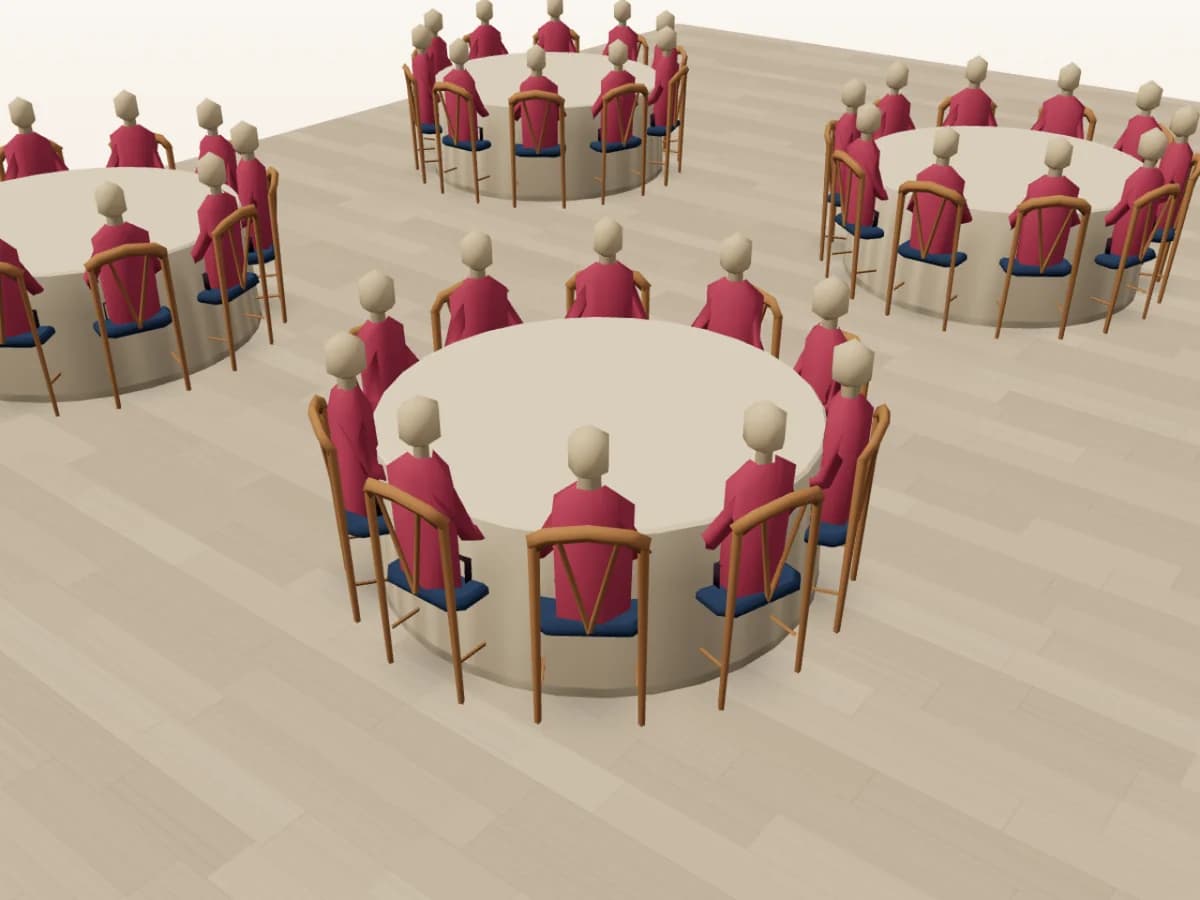
Strengths: 3D leads. Press 3D at the top of the designer canvas and the canvas becomes the room, with the guest list still beside it: the same tables, seats and guest names where you put them, with seated guest figures in their guest colours. Drag to orbit, scroll or pinch to zoom, jump to the Overview or Plan view, and hover a chair, or tap it on a phone, to see who sits there.
You can plan in 3D too. It is labelled Beta. Pick up a table, chair row or area and set it down somewhere else, turn it, add or remove seats, rename it, or add new pieces with the Add button. Drag a guest from the guest list onto a chair, or from one chair to another; on a phone, tap a chair and pick a name. Undo, locked tables and client permissions work as they do in 2D.
With Event & Venue Manager, import the venue's CAD (DXF) drawing and the 3D view rebuilds it as a building: full-height walls with real window and door openings, glass, columns, a ceiling and finished floors. When the drawing encloses a room, an Eye level view lets you walk it with drag, scroll, pinch, the arrow keys or WASD, and the walls stop you.
Around the 3D, Event & Venue Manager covers the whole booking. Draw a room to scale or import it from a DXF, PDF or photo, save each setup as a template and copy it into every new event, and send clients a share link with the tables you lock kept in place. Your team edits live together. Export PDF event diagrams, place cards and a guest list for the door, give the door team a check-in link, and let guests find their table with a QR seat finder or a Wallet pass. It also connects to Event Temple, and venues can publish your venue floor plan on seatplan.io.
Limitations: not built for outdoor GIS site plans or trade-show booth sales.
Pricing model: the designer is free to use. 3D comes with Pro, Collaborate and Event & Venue Manager for planners and venues, and CAD (DXF) import needs Event & Venue Manager. Event & Venue Manager is a subscription billed monthly or yearly, and the monthly plan can be cancelled at any time. See plans.
Good fit if you seat guests at tables, want clients to see the room in 3D before the day, and are rebuilding rooms from Prismm.
2. Cvent Event Diagramming (formerly Social Tables)
Best for: Hotels, conference venues and planning teams that already run registration in Cvent.
Strengths: A library of more than 6,700 venue floor plans, over 700 objects, uploads of DWG, PDF and to-scale images, unlimited collaborators on every plan, Photo-Realistic 3D, and integrations with Tripleseat, Caterease and Cvent's own registration and on-site products (Cvent Event Diagramming pricing, checked on 30 October 2026). It is also where Prismm customers are being moved.
Limitations: Its pricing page lists Photo-Realistic 3D among the custom add-ons, each paid plan below Enterprise has one user, and check-in appears on the Premium and Enterprise plans (Cvent Event Diagramming pricing, checked on 30 October 2026).
Pricing model: A free plan fixed at 3 events, 1 user and 2 diagrams per event. Every paid plan has a 12-month commitment.
Good fit if your venue sells through the Cvent Supplier Network and your planners already work in Cvent. For the head-to-head, see SeatPlan.io vs Social Tables.
3. EventDraw
Best for: Venues, stadiums, universities and convention centres that want standard layouts fast.
Strengths: CAD-accurate 2D or 3D layouts, quick standard setups in dinner-dance, theatre, cocktail and classroom styles, drag-and-drop furniture and AV, real-time work with your team and clients, and inventory tracking (EventDraw, checked on 30 October 2026). Packages include unlimited users and unlimited plans (EventDraw pricing, checked on 30 October 2026).
Limitations: Its site does not describe importing a CAD or PDF file, guest check-in or phone use, and there are no published prices.
Pricing model: By quote. Its pricing page promises “No Lock in Contracts”.
Good fit if you run a large property with many rooms and want a venue-only diagramming tool sold by quote.
4. EventDiagram
Best for: Hotels, corporate and agency planners, and AV crews.
Strengths: To-scale 2D in feet and inches, a library of real venue floor plans, a to-scale draft from a one-sentence description, guest seating with meals and dietary needs, check-in from the same list, and share links that need no account (EventDiagram, checked on 30 October 2026). Its AI copilot comes in monthly message allowances (EventDiagram pricing, checked on 30 October 2026).
Limitations: Creating 3D needs its Pro plan, exports on the free plan carry a watermark, and its site mentions starting from a venue PDF but does not describe CAD import (EventDiagram, checked on 30 October 2026).
Pricing model: A free plan, then paid plans with monthly billing that you can cancel monthly.
Good fit if you want an AI drafting assistant and a large venue library, and your rooms are already in it.
5. Planning Pod
Best for: Venues that want bookings, contracts, BEOs, invoices and floor plans in one system.
Strengths: To-scale floor plans and seating charts tied to the booking, BEO and guest list, automatic table grids, reusable templates, CAD room outlines you trace, real-time sharing with staff, vendors and clients, and a check-in app (Planning Pod floor plans, checked on 30 October 2026). Around it sit a CRM, proposals, e-signatures, payments and event timelines (Planning Pod, checked on 30 October 2026).
Limitations: Floor plans are one module of a larger venue management suite. Its floor plan page does not mention 3D, and it publishes no prices.
Pricing model: Discussed in a personalised demo. We found no public price list.
Good fit if you are replacing your venue's whole booking and sales stack, not only the diagrams.
6. SmartDraw
Best for: Occasional, simple layouts by someone who also draws org charts, flowcharts or site plans.
Strengths: Scaled event plans with exact dimensions, PDF or image imports you calibrate to scale, Google Maps satellite views for outdoor events, custom symbol libraries shared with your team, and evacuation and safety plans (SmartDraw event planning, checked on 30 October 2026).
Limitations: It is a general diagramming tool. Its event pages offer seating chart templates but do not describe guest lists, check-in or 3D.
Pricing model: A free trial, then individual or team licences billed annually, with a 3-user minimum on Team (SmartDraw pricing, checked on 30 October 2026).
Good fit if you need a few layouts a year and already use SmartDraw for other diagrams.
7. OnePlan
Best for: Festivals, road events, local government and large outdoor or multi-site events.
Strengths: Site plans drawn to scale on real maps, infrastructure, traffic, workforce and crowd management, imported CAD drawings and overlays, and real-time teams with permissions (OnePlan, checked on 30 October 2026). More than 200,000 events have been planned on it in 150 countries, by its own count.
Limitations: It is built for site operations, and its site does not describe guest seating or 3D. Paid plans are priced per user (OnePlan pricing, checked on 30 October 2026).
Pricing model: A free plan for 1 event and 25 map objects, then monthly or annual billing per user.
Good fit if your event happens in a field, a park or on closed roads rather than in a ballroom.
8. Prismm (formerly AllSeated)
Prismm no longer accepts new events, so we list its status rather than rate it. Cvent bought Prismm in April 2025 and is moving its users to Cvent Event Diagramming. Since 26 August 2026 new events can only be created there. Existing Prismm events stay editable until June 2027, and after that your Prismm work is view-only in Cvent (Cvent's Prismm migration page, checked on 30 October 2026).
What moves: your users, matched by email address, and your events dated 1 January 2022 or later. What doesn't: Cvent tells users to recreate their templates, favourites and groups, and to export the floor plans and reports they want to keep before the sunset. Tabletop Designer is not in Cvent Event Diagramming yet. Our Prismm retirement guide walks through every date.
Which event floor plan software fits you?
- Wedding or banquet venue: SeatPlan.io Event & Venue Manager, for room templates, client seating and 3D walkthroughs from your CAD drawings. Planning Pod if you also want bookings and invoices in the same system.
- Independent planner: SeatPlan.io, so each couple or client sees their own guests in 3D, with a monthly plan you can cancel. EventDiagram if your venues are already in its library.
- Hotel or conference group already on Cvent: Cvent Event Diagramming, for its registration links and supplier network. SeatPlan.io for the banquets and galas where seating and 3D matter most.
- Leaving Prismm: SeatPlan.io. Import each room from its DXF or PDF, save the setups as templates and see the rebuilt room in 3D.
- Festival or outdoor site: OnePlan, built on real maps. SmartDraw for a simple scaled site plan over a satellite view.
- Occasional one-off layout: the free SeatPlan.io designer in your browser, or SmartDraw if you already pay for it.
How to make an event floor plan (5 steps)
- Get the to-scale room plan. Ask the venue for its CAD (DXF) or PDF floor plan. If there isn't one, measure the room's length and width.
- Set the room and its fixed features. Mark doors, fire exits, pillars, the stage, the bar and power points before any furniture.
- Choose the setup style. Banquet rounds, theatre rows, classroom, cabaret or cocktail. Each holds a different number of guests in the same room.
- Place tables with clear service aisles. Don't guess aisle widths. In the US, most fire codes follow NFPA 101, which sets minimum widths for aisles and for the gaps between tables and rows, and uses 15 square feet per person (net) for seating at dining tables (Illinois State Fire Marshal guide to NFPA 101 occupant loads, checked on 30 October 2026). Your venue's certified capacity and the local fire marshal have the final word.
- Export and share. Send a PDF diagram to the venue, caterer and setup crew, and a live link to the client.
Draw your room in the designer
Set the room to its real size, place tables and seat guests, then press 3D to see it as a room. No account needed to start.
Draw your room in the designerPlanning a conference or a fundraiser? See the corporate event seating guide, and how SeatPlan.io handles galas and conferences.
Moving from Prismm
For venues and planners leaving Prismm, SeatPlan.io is the better choice. You have to rebuild your rooms wherever you go, because Cvent says your Prismm templates, favourites and groups have to be recreated (Cvent's Prismm migration page, checked on 30 October 2026). Rebuild them in SeatPlan.io and you get:
- Your CAD drawing as a walk-through 3D room. Event & Venue Manager imports the venue's DXF at exact scale, and the 3D view stands it up with full-height walls, window and door openings, glass, columns, a ceiling and floor finishes.
- An eye-level walk. Walk the room at eye level with drag, scroll, pinch, the arrow keys or WASD, and the walls stop you.
- Seated guests in 3D. Every seated guest appears in their chair, and hovering or tapping a chair shows their name.
- Plan in 3D. Move, turn and add tables, add or remove seats, and drag guests onto chairs without leaving 3D.
- 3D from the chart you already drew. One 3D button, nothing to rebuild for the 3D view. It is labelled Beta, and it is included in Pro, Collaborate and Event & Venue Manager.
- On a phone. The 3D button is in the mobile designer too.
- A tool that is taking new events. Prismm stopped on 26 August 2026, and its access ends in June 2027.
Rebuild checklist
- Export every room's floor plans and reports as PDFs while you can still open and edit them. Cvent asks users to save these before the sunset.
- Pull anything older than 2022. Cvent Event Diagramming shows Prismm events dated 1 January 2022 or later.
- Export guest lists as CSV for any event you will run again.
- Write down each room's capacity notes, per setup, with your certified capacity.
- Rebuild each room from its DXF or PDF. Import the DXF in Event & Venue Manager, or the PDF with AI floor plan import, save each setup as a template, and open it in 3D to check it against the real room.
Some third-party sites still quote 31 December 2026 as Prismm's end date. Cvent's own migration page now says June 2027. Venues can also publish your venue floor plan on seatplan.io, and our Prismm retirement guide covers the rest.
Event floor plan software FAQ
Draw your first room to scale
Size the room, place the tables, seat your guests and press 3D. Running bookings every week? See Event & Venue Manager.
Open the designer