Seating chart app
The seating chart app you can open from the venue car park.
SeatPlan.io runs in the browser on your laptop, the venue's iPad and your phone. Nothing to install, nothing to update. The chart you fix on the walkthrough is the chart the couple opens at home that evening.
- No download, no account to start
- Chrome, Safari, Edge and Firefox
- Import the guest list from a spreadsheet
As seen in Mashable“7 best wedding planning apps for 2026 couples”
“The collaboration feature is a game-changer. I could share the seating chart with my wedding planner and we both made updates in real-time. No more back-and-forth emails.”
The problem
The change never arrives while you are at your desk.
The venue walkthrough is at four. The mother of the bride calls at nine to say the Hendersons are now four, not two. You open the laptop, find final_v7.xlsx, fix it, export, email the venue, then remember the calligrapher.
Multiply that by thirty weddings and it is your evenings. A seating chart app only saves you time if it is on the device in your hand when the change comes in, and if the venue and the couple are looking at the same chart you are.
One chart, everyone in it
The couple, the venue and you, on the same chart at the same time.
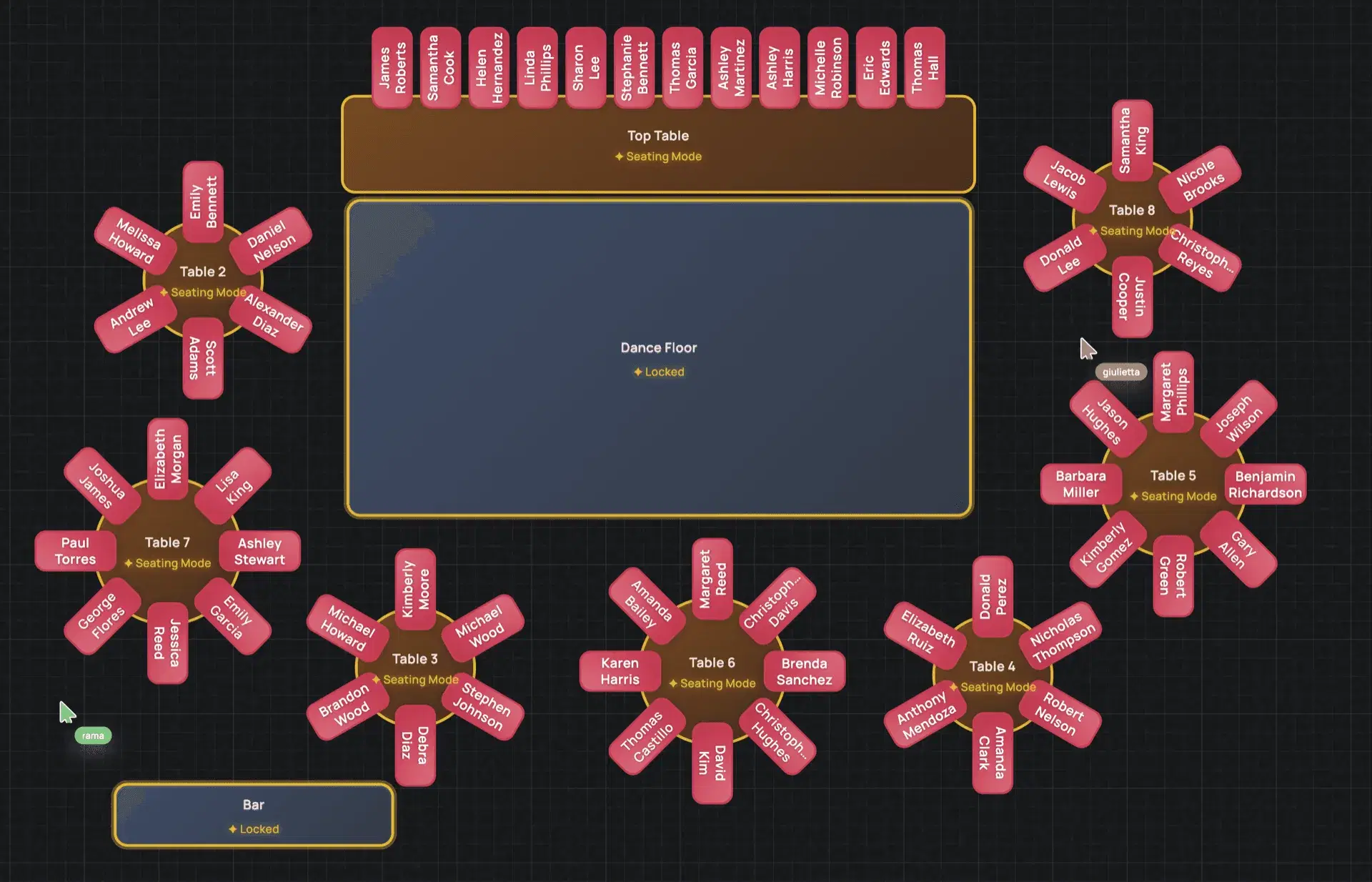
Share the chart and every co-editor sees the others' cursors as the tables fill. The couple seats their friends on Sunday night; you see it on Monday morning, already done. Nobody emails a spreadsheet, nobody merges two versions.
- Real-time editing with a named cursor for each person
- Share a link instead of attaching a file
- Up to two collaborators on Collaborate, unlimited on Event Manager
On the walkthrough
Fix the seat standing in the room.
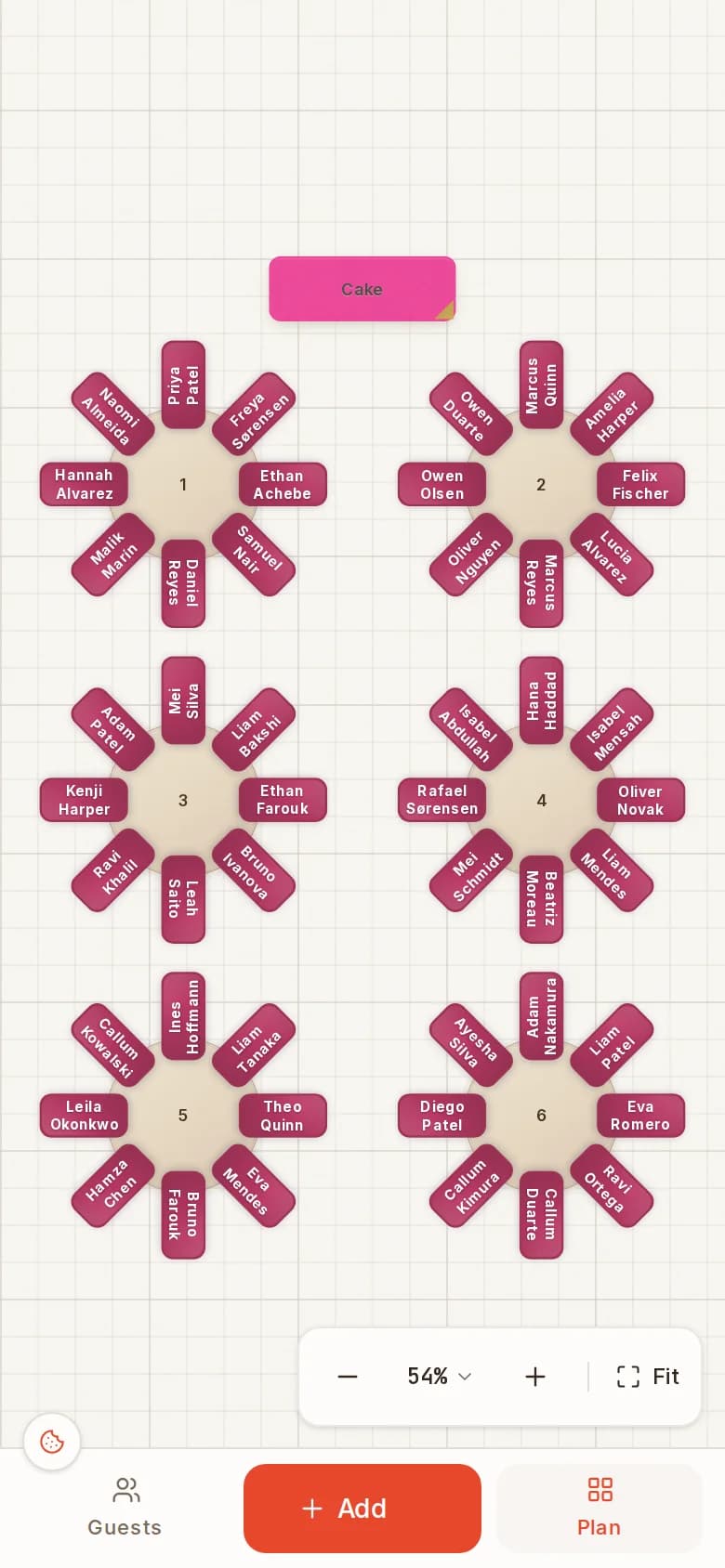
Open the same chart on your phone during the venue walkthrough. Move the table that blocks the fire exit, drop the newly confirmed cousins onto Table 4, and it is saved to your account before you reach the car.
- The same chart on desktop, tablet and phone
- A Guests tab and a Plan tab sized for a thumb
- Save to your account and open it on any device
Event Manager
Thirty events a year? Run them all from one account.
- Unlimited events and venue templates
- 10 AI floor plan imports a month
- Live client collaboration and share links
- Check-in links, QR seat finder and Wallet passes
Seating chart app questions
Is there a free seating chart app?
Yes. SeatPlan.io is free to use in the browser with no account: add tables, import the guest list and seat everyone. Saving the chart, PDF export and sharing are on paid plans.
Do I need to install a seating chart program?
No. Open seatplan.io/designer in Chrome, Safari, Edge or Firefox and you are in the designer. There is nothing to download on your laptop and nothing to install on the venue's computer or your phone.
Does the seating planner app work on mobile?
Yes. The designer has a phone layout with a Guests tab and a Plan tab, so you can seat guests and move tables from your phone. For a ballroom with forty tables you will still be faster on a laptop with a mouse, and the chart you save on one opens on the other.
Can two people edit the same chart at once?
Yes, on Collaborate and Event Manager. Invite a co-editor and you both work on the same chart live, each with a named cursor. Collaborate includes up to two collaborators; Event Manager has no limit, so the couple, the venue and your assistant can all be in it.
Is this a wedding seating chart app?
Yes, and the same designer seats galas, conference dinners and classrooms. If you plan weddings for a living, Event Manager keeps every client's chart in one account with a reusable template for each venue you work in.
Can I use it offline?
You need a connection to load the app and to save. Once a chart is saved to your account it opens on any device, so the plan you fixed on the train is the one on the venue's iPad an hour later.
Open the app. Seat the room. Close the laptop.
Free to design. Nothing to install. The chart follows you to the venue.