SeatPlan.io + Event Temple
Event Temple
seating chart integration.
Your booking is in Event Temple. Bring its guest list into SeatPlan.io and give every guest a place in the room.
- Import guests from your selected booking.
- Start with a venue template you can use again.
- Refresh the roster when you reopen your event.
Listed on Event Temple. View SeatPlan.io on Event Temple.
14-day trial for eligible accounts
Connect your Event Temple account
Sign in with Event Temple to see partner plans. No card is required to start an eligible trial.
From booking to a room that is ready.
- 1
Connect and choose a booking
Sign in with Event Temple, choose your plan, then select your organization and booking in Event Manager.
- 2
Import guests and arrange the room
Bring in the booking's guest roster. Use a saved venue template, add tables, and assign guests to seats.
- 3
Review and share your plan
Reopen the event to refresh its linked guest list. Check the latest changes before sharing the plan with your team.
The same ballroom.
A different guest list.
Save the room as a reusable template in Event Manager. Use it for the next dinner, wedding, or conference, then arrange the guests imported from that booking.
Keep seating decisions in SeatPlan.io while Event Temple remains the source of your booking roster. Guests who remain in the booking keep their seating after a successful refresh. Removed contacts leave the roster and their seats are cleared.
Read the Event Temple integration guide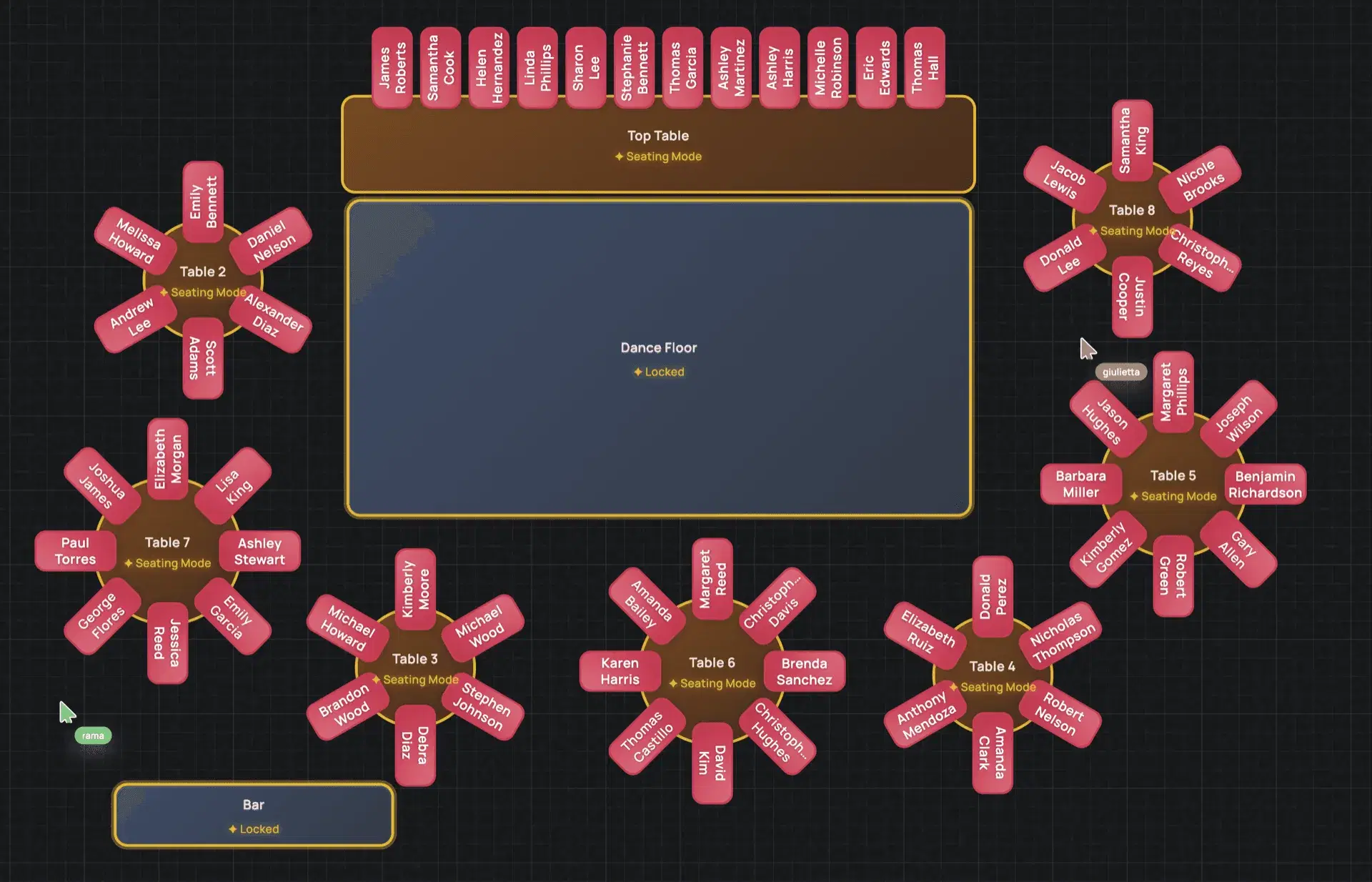
Event Temple integration FAQs
How do I connect Event Temple to SeatPlan.io?
Use Continue with Event Temple on this page. Sign in to Event Temple and complete the connection, then choose your SeatPlan.io plan. In Event Manager, select your Event Temple organization and booking to create an event and import its guests.
What happens when my guest list changes?
SeatPlan.io checks the linked roster when you reopen an event. After a successful refresh, guests who remain in the booking keep their seats and check-in status. New contacts are added. Contacts removed from the booking are removed from the imported roster and their seats are cleared. This is not a continuous live sync, so review the latest guest list before sharing your plan.
Does SeatPlan.io change anything in Event Temple?
No. The integration reads booking and guest information from Event Temple. Seating assignments and check-in activity stay in SeatPlan.io and are not written back to Event Temple.
Can I use a layout I already have?
Yes. Event Manager lets you save and reuse venue templates. You can also use AI floor-plan import to turn a supported image or PDF into an editable starting layout. Review the tables, seat counts, and room dimensions before using an imported plan.
Is there a free trial for Event Temple customers?
Eligible Event Temple accounts can start a 14-day SeatPlan.io trial without a card. Connect your account to see partner plans and trial eligibility. An account that has already used its trial does not receive another one.
Put your next booking
on the seating chart.
Connect Event Temple and start with the guest list you already have.
Connect Event Temple